
iPadOS 27: A Practical Upgrade, Not a Reinvention
iPadOS 27 is Apple's latest tablet operating system release that focuses on improving performance, upgrading Siri into a more capable device-aware assistant, refining search and indexing, and adding new Safari features that together make everyday workflows on compatible iPads faster, more searchable, and better suited to productivity than previous versions. This is not the release that turns the iPad into a laptop replacement, and that is the point: Apple is doubling down on the iPad as its own category, with subtle changes that matter when you use the device for hours a day. One reviewer who has lived with the developer beta on the 11‑inch iPad Air with an M4 chip for a month describes the benefits as “subtle but greatly appreciated.” In other words, iPadOS 27 is about quality-of-life improvements, not headline-grabbing reinvention.
Siri Improvements on iPad: From Voice Assistant to Workflow Partner
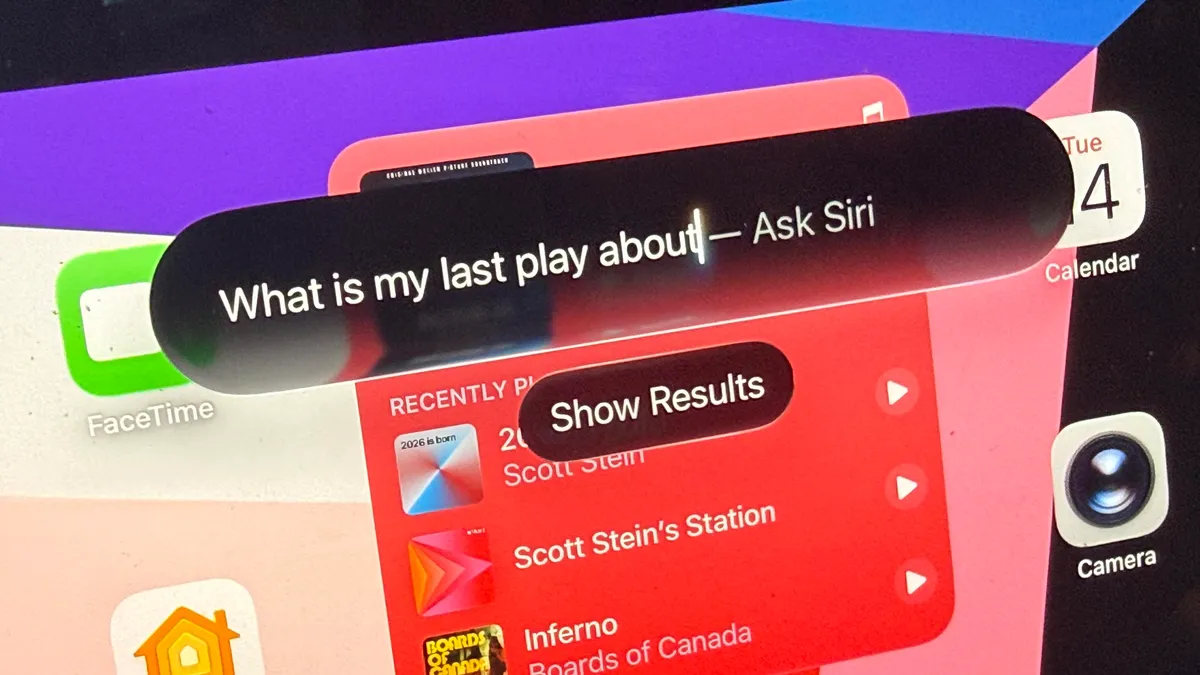
The most important reason to consider an iPadOS 27 upgrade is the new Siri. Apple has rebuilt it into a device-aware assistant that does far more than set timers or answer trivia; it now “helps a ton with searching for stuff” across your iPad’s core apps. Siri lives in its own app, with a history of past chat sessions you can scroll through when you need to recall what you were working on. That alone nudges Siri closer to a genuine research or planning companion. More importantly, Siri is wired deeply into Messages, Files, Photos, Mail, Calendar, Notes and other Apple services, backed by a full indexing overhaul and a new Spotlight search that processes your data after installation. The result is an assistant that can write drafts, analyze documents, and surface forgotten conversations or notes, turning scattered information into something you can query like an external memory. On a tablet where many people store reference material, scripts, and project notes, that is a real workflow upgrade, not a gimmick.
Performance Gains and New Safari Features: Subtle but Worthwhile
If you ignore Siri, iPadOS 27 still earns its place as a recommended iPad OS update thanks to performance improvements and browser upgrades. Apple has framed this release, like its phone counterpart, as being “focused on both performance improvements and a far better Siri,” and early hands-on testing backs up the claim. The indexing phase after installation takes time, but it happens in the background, and once complete the system feels snappier and search results more intelligent. At the same time, the update folds in Apple Intelligence features with enhanced image editing tools and new Safari capabilities. On a device that people increasingly use for research, reading, and content creation, better Safari is not a side note—it complements Siri’s new search-driven role. Being able to pull down a teardrop-shaped gesture from the top edge of the screen to trigger a search bar that can tap Siri transforms the browser and home screen into a single, fluid information pane. The performance gains may be subtle, but they add up to a smoother daily experience.
Public Beta, Release Timing, and Who Can Upgrade
For users tempted by these changes, timing and iPadOS 27 compatibility matter. Apple unveiled iPadOS 27 during WWDC 2026, released the first developer beta shortly after, and has now opened a public beta so more people can try it before the official fall release. If past years are any guide, the final version should land around September, alongside other platform updates. The iPadOS 27 upgrade, however, is not universal. Supported models include iPad Pro (M4 and later), the 12.9‑inch iPad Pro from the 4th generation onward, and the 11‑inch iPad Pro from the 2nd generation onward. On the iPad Air side, the 13‑inch M2 and later, 11‑inch M2, M3, and M4, plus the 4th‑generation Air and later are eligible. Standard iPads with the A16 chip and the 9th generation and newer, along with iPad mini models with the A17 Pro and the 6th generation and newer, also qualify. In short, most recent iPads can run iPadOS 27, but owners of older hardware will have to sit this update out.
Should You Install the Beta or Wait for the Full Release?
The bigger decision is not whether iPadOS 27 is worth upgrading to—it is—but whether you should jump into the public beta right now. The beta offers early access to Siri improvements on iPad, new Safari features, and performance tweaks, and it is straightforward to install via Settings > General > Software Update after turning on Beta Updates on a compatible device. You can also enroll in the free tier of the Apple Developer Program through the Developer app to access the developer beta, with a paid annual subscription only required if you plan to distribute apps or need extra tools. Yet beta builds come with bugs, crashes, and rough edges, and even reviewers who are enthusiastic about iPadOS 27 caution against installing it on your main iPad unless you back up first. The smarter move for most people is to wait for the stable release in fall, when third‑party apps begin tapping the new Siri hooks at scale. At that point, the iPadOS 27 upgrade will deliver on its promise: a tablet that feels faster, searches better, and turns Siri into a serious part of your workflow.