
Tablet Lifespan: The Upgrade Myth Is Cracking
Tablet lifespan, how long a device remains practical and enjoyable to use for daily tasks, is shaped far more by hardware durability, software support, and how you use it than by the calendar age printed on the box; real-world experience shows that a well-made Android tablet, maintained carefully and used for everyday browsing and streaming, can stay functional and satisfying for seven years or more before any real need to upgrade appears.
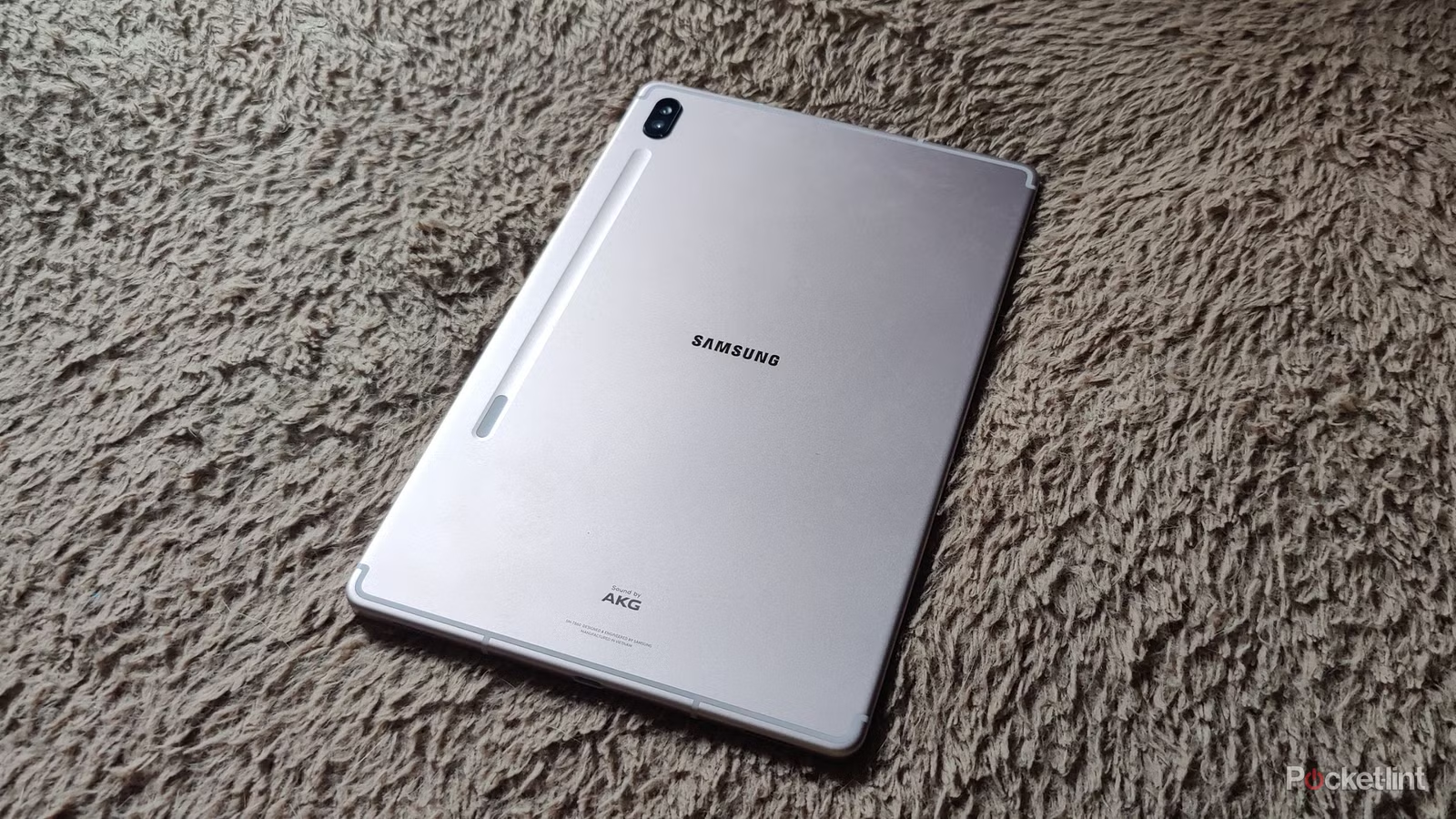
The surprise isn’t that tablets last; it’s that we keep believing they don’t. One user’s Samsung Galaxy Tab S6, launched in 2019, still feels powerful enough for internet browsing and game emulation, with a battery that needs charging only every two days and a screen that’s largely scratch‑free. Performance has "reached a point" where they are not interested in what comes next, because their phone and tablet already handle every game they want to play without needing more speed. This clashes directly with the annual-upgrade marketing drumbeat and suggests the problem isn’t aging hardware—it’s our expectations, stoked by companies that profit from faster replacement cycles.
Android Tablet Durability: Hardware Rarely Dies First
If you’re wondering about Android tablet durability, the blunt answer is that the hardware usually outlives the hype. Users who have cycled through multiple low‑cost, no‑name tablets report only a few real hardware failures, mainly wear‑and‑tear issues like broken ports rather than catastrophic breakdowns. In other words, most tablets don’t fall apart; they quietly keep working while the industry insists you need something newer.
The practical tablet lifespan—how long—is not fixed at three years. With reasonable care, especially looking after the battery, users report getting at least three to five years of use without major problems. One Redditor’s mother used a Samsung Galaxy A5 for around eight years before hitting the real wall: once the operating system became outdated, key apps such as Chrome could no longer be updated, forcing retirement even though the device itself still worked. That story exposes the uncomfortable truth: hardware is the dependable part, while software support is what eventually turns a capable device into something you’re pressured to replace.
Real-World Tablet Longevity: What People Actually Do With Them
In real-world use, tablet longevity is less about benchmarks and more about boring, everyday tasks. The Galaxy Tab S6 owner has held onto their tablet far longer than expected, with performance that still feels smooth for browsing Twitter and Reddit, plus enough power for game emulation. Software support officially ended in 2023, yet they report that "the performance is still there", and they see no reason to upgrade until the battery fails to hold a charge. This is what most people actually need: reliable browsing, media streaming, messaging, and light gaming—not cutting‑edge silicon they’ll never fully utilize.
Another user kept that eight‑year‑old Galaxy A5 going until app updates stopped. In both cases, the devices aged out because software pulled away from them, not because the tablets couldn’t open a web page or play a video. One owner admits that the only thing that finally pushed a phone upgrade was lack of security updates, not sluggish performance. When your tablet remains fast enough that you "don’t notice any performance differences" even after moving to a different chip family, it’s fair to say the upgrade cycle has become more psychological than practical for typical workloads.
When to Upgrade a Tablet: Follow Software, Not Marketing
The honest answer to "when to upgrade tablet" is: upgrade when the software wall, not the spec sheet, forces you to. Several users highlight that the real end of life arrives when the operating system is too old to support core apps such as Chrome, or when security updates stop and you care about staying protected online. A tablet can stay snappy for years, but once critical apps refuse to install or update, you’re pushed into replacement whether the hardware feels fine or not.
For many owners, software support is a bigger deal on phones—always connected, full of personal data—than on tablets, which are often used more casually. That’s why the Tab S6 user is happy to keep their tablet going until the battery fails, despite support ending in 2023. The lesson is clear: stop tying tablet lifespan to arbitrary ages. Watch for three signals instead: can you still update essential apps, does the device receive security patches at a level you’re comfortable with, and does the battery still provide the runtime you expect. Until those break, upgrading is more about novelty than necessity.
Cost-Per-Year: Long-Lived Tablets Are Marketing’s Worst Nightmare
Stretching tablet lifespan beyond the standard 3–5 years is quietly excellent for your wallet and terrible for constant-upgrade business models. One user admits they used to buy a new phone annually, only to realize it was "a marketing tactic" with little real benefit. Now that they hold onto devices longer, they spend less on new gear, even while keeping a first‑generation Apple TV 4K, a graphics card, and a TV from 2021 that still feel relevant. Another source notes that you can get a powerful tablet for around USD 250 (approx. ₱14,000), and that cost looks very reasonable given the mileage you can achieve over several years of use.
The math is simple: if a USD 250 (approx. ₱14,000) tablet gives five or more solid years of practical use, your cost‑per‑year plummets compared with upgrading every two or three years. Users keeping a Galaxy A5 alive for eight years, or sticking with a Galaxy Tab S6 long past its formal support window, show how much value you can extract when you ignore upgrade marketing and focus on real needs. The industry may find that "good for the consumer and bad for the company", but for you, it’s a clear win: buy durable hardware, accept that software support is finite, and milk every year of usefulness you can before you truly need something new.