

Verdict: Siri Finally Earns Its Spot on Your Home Screen
iOS 27 Siri AI is an upgraded version of Apple’s voice assistant that blends on-device context, system-wide integration and natural-language understanding to handle everyday tasks, answer questions and act inside apps with far fewer mistakes than older versions.
Siri’s AI overhaul in iOS 27 is the first upgrade that feels like more than a coat of paint: it lets you treat your iPhone like an assistant, not a voice remote. Once you opt in, Siri AI can tap your email, photos, calendars, texts, notes and more to answer questions and take action. In testing, it excelled at pulling buried information and doing things for you—rescheduling events, surfacing specific photos, summarising what matters—without forcing you to hop between apps. It is still behind the flashiest chatbots, and far from perfect, but it has caught up substantially with rival assistants. If you live in Apple apps and want a practical helper more than AI party tricks, this is the Siri upgrade worth caring about.

What’s New: A Smarter, More Present Siri Across iOS 27
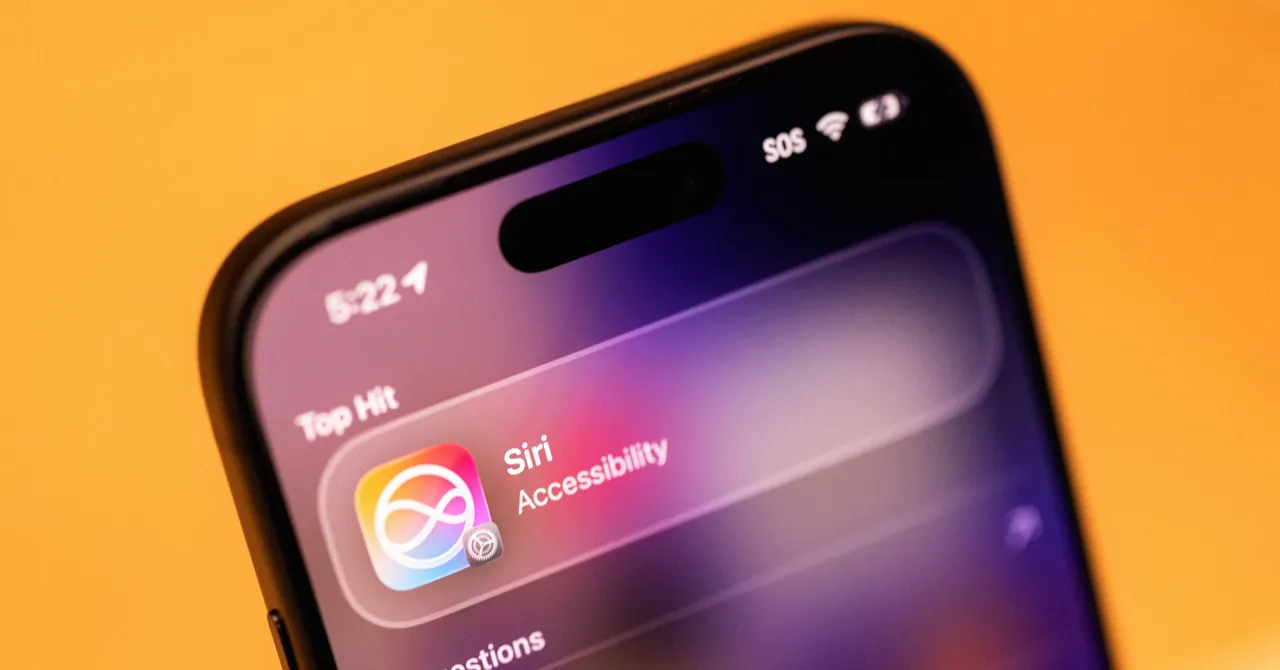
The headline change in iOS 27 is how deeply the new Siri AI is woven into the system. You can still trigger it with the wake phrase or side button, but it now appears wherever you swipe down to search: a unified “Search or Ask” bar that forwards many queries straight to Siri for an answer instead of a page of web links. Apple also kept the old access methods while adding new entry points, so Siri surfaces more naturally across the phone instead of hiding behind one gesture. There is even a dedicated Siri app that keeps a history of requests, trimming out throwaway timers. The result is a more cohesive assistant that feels like part of iOS rather than an optional add‑on bolted to the side.
Crucially, Siri AI can now see context from both your data and your screen. Its “onscreen awareness” means it can read what you are looking at—like a social post—and use that to answer follow‑ups without you spelling everything out. That same awareness powers new system features: Siri’s multimodal tools sit directly inside the Camera app under a new tab between Photo and Panorama modes, and “Write with Siri” can help draft notes or messages inline without shifting you to a separate assistant window. This deeper integration is the backbone of the iPhone AI improvements in iOS 27, and it matters more than any single trick.
Everyday Use: From Diarrhea Lettuce to Paris Photos
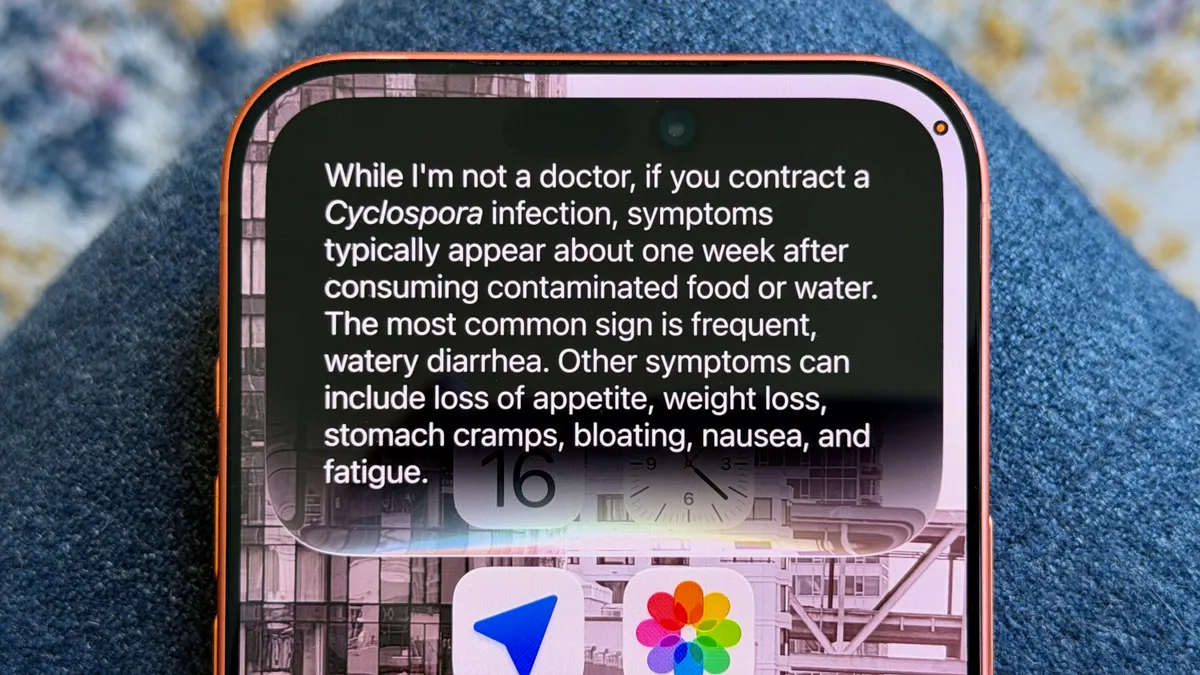
From a user’s point of view, the key upgrade is that Siri AI now handles everyday, messy requests with sensible results. In testing, it excelled at finding information hidden across apps—like health data, text threads or the nutritional value of food in a photo—and then acting on it, such as rescheduling calendar events without opening your calendar. It can pull one photo out of tens of thousands on request, like “show a photo of me in Paris,” and distinguish between real trips and similar‑looking locations, acknowledging when no match exists while still surfacing related images. When asked whether lettuce was safe to eat, it not only said yes but warned about a parasitic outbreak linked to lettuce and described symptoms like “frequent, watery diarrhea” if you got sick. That mix of web knowledge with your own data is the “special sauce” of iOS 27 Siri AI.
Context understanding is the second big win. Beta users report that Siri can follow up on previous prompts instead of treating every query as a blank slate, making back‑and‑forth conversations much smoother. It works best when drawing on your iPhone’s context—type “Black Clover” into the Siri dropdown and it jumps straight to the episode you were last watching in Crunchyroll. When you feel low, you can say you feel sad and ask for photos to cheer you up; Siri replies with empathy and opens Memories in Photos. These examples show why many long‑time skeptics have turned it back on: “Siri AI truly seems different, helpful and I’m excited to keep using it on my iPhone,” one early tester concluded.
Power Features, Personalisation and the Limits of Apple’s Walled Garden
For heavier users, the most impressive Siri features in iOS 27 go beyond Q&A. With Apple’s new Intelligence layer, you can create Shortcuts with plain language: describe the task you want in a text box or by voice, and the system builds the automation for you. That is a major upgrade for people who never touched Shortcuts because its interface was too complex. Voice itself is more tunable: a new “Expressive Voice” option lets you adjust how animated Siri sounds and how quickly it speaks, with one male and one female preset available in US English for now. And if you worry about over‑personalisation, a new “App Access” page in Settings lets you stop Siri from learning from specific apps by toggling off “Learn from this App,” limiting how it uses your interactions for suggestions across apps.
The catch is that Siri AI still lives mostly inside Apple’s garden. Its superpowers show up when you stay inside Messages, Mail, Photos, Calendar and Notes; if the thing you need is in Gmail, WhatsApp or Google Photos, Siri cannot reach it. Even with Apple’s own apps, performance can be uneven. One tester had to switch from Gmail to the built‑in Mail app for Siri to find delivery emails and order updates. Visual understanding is stronger than before but not flawless: it could correctly identify a Muji‑branded hexagonal pen, down to the nib size, yet failed to recognise a distinctive Tiki cup from Ikea. And while Siri is now threaded through settings, it still “taps out” when asked about certain configuration questions, refusing to explain what it can or cannot change or even point you to the right menu.
Reliability, Annoyances and How It Compares to Other AI Assistants
Where iOS 27 Siri AI shines
- Excels at digging up information hidden in texts, photos and health data, and can act on it by rescheduling events or opening the right content without extra taps.
- Understands follow‑up questions and prompts far better than before, making conversations feel connected instead of one‑shot commands.
- Natural‑language Shortcut creation turns complex automations into something power users can build by typing one description.
Where it still falls short
- No deep access to third‑party apps like Gmail, WhatsApp or Google Photos, so Siri AI feels half‑powered if you live outside Apple’s apps.
- Image uploads to the Siri app show no thumbnail or confirmation, leading to repeated, confusing attempts with no visible feedback.
- Still unable to answer or guide you through some settings questions, and often fails silently instead of explaining its limitations.
In practice, performance is good enough that many users can drop rival voice assistants for day‑to‑day tasks. The combination of personal context, onscreen awareness and system hooks means Siri AI can do things general chatbots like ChatGPT or Claude cannot, such as jumping straight into your current show, pulling specific memories or reshuffling your schedule from inside iOS. At the same time, Apple’s voice assistant upgrade is “practical but plain”: it has caught up substantially with the competition, yet offers fewer wow‑factor tricks than some may expect. Bugs remain in this beta—like unreliable third‑party email support—but the overall reliability is finally at a level where keeping Siri always‑on feels more helpful than frustrating.
Buy if / Skip if
- Buy the iOS 27 Siri AI upgrade if you already rely on Apple’s core apps and want an assistant that can act inside your calendar, mail, photos and messages with minimal friction.
- Skip the iOS 27 Siri AI upgrade if you live in Gmail, WhatsApp, Google Photos and other third‑party tools and expect the same deep access there as in Apple’s own apps.
- Buy the iOS 27 Siri AI upgrade if you care more about dependable daily help—finding information, changing plans, surfacing memories—than about bleeding‑edge AI experiments.
- Skip the iOS 27 Siri AI upgrade if you want an assistant that can manage every settings screen and explain system options in detail, since Siri still “taps out” on many of these requests.
- Buy the iOS 27 Siri AI upgrade if you are a power user excited by natural‑language Shortcuts and finer control over Siri’s voice and tone.




