
What the Galaxy S26 Ultra red screen issue is — and why it matters
The Galaxy S26 Ultra red screen issue is a display tint problem where a localized pink or red patch gradually appears on the OLED panel over months of use, likely linked to the phone’s built‑in Privacy Display technology and currently under active investigation by Samsung as a possible manufacturing defect or software calibration fault.
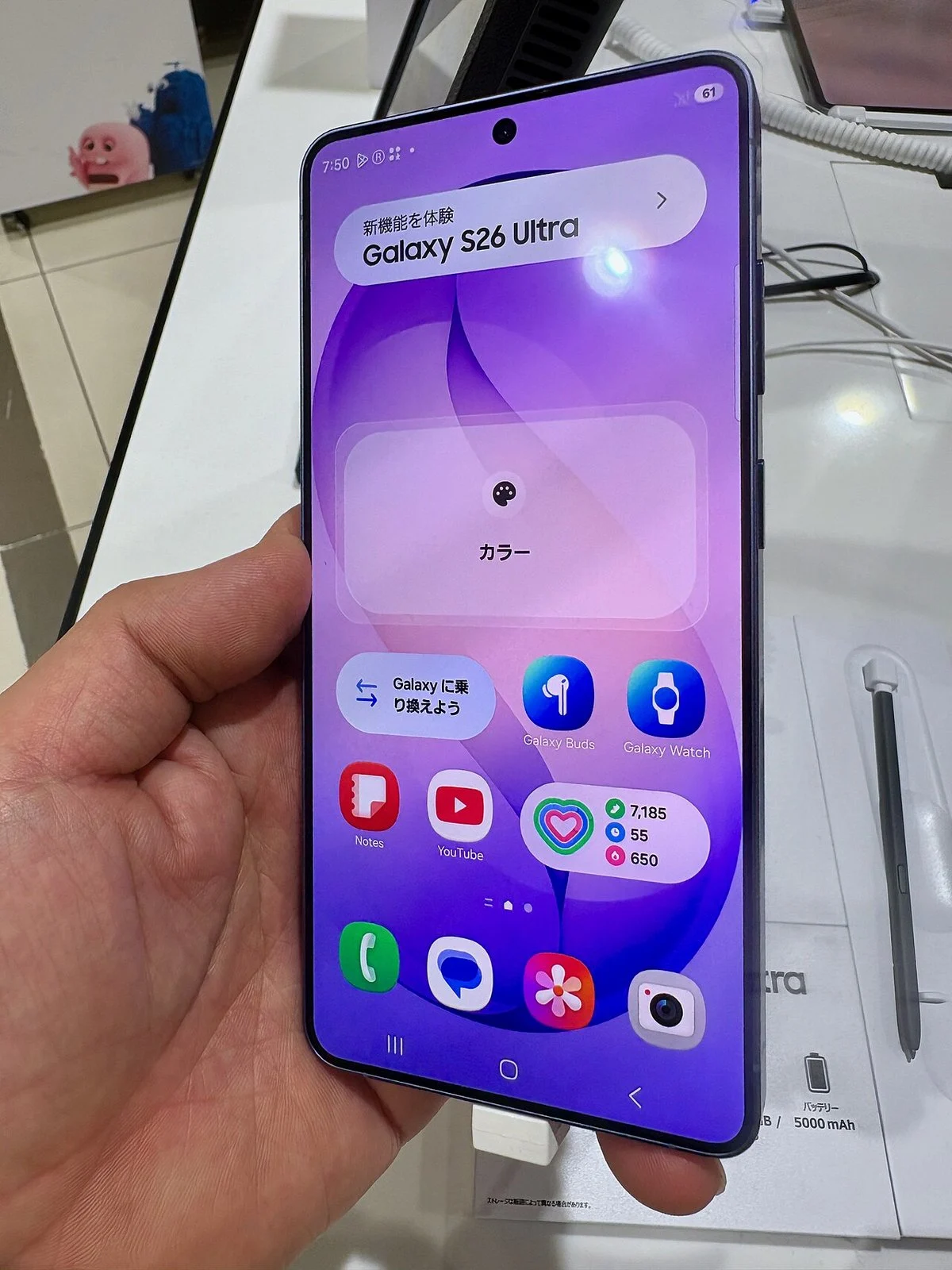
This is not a cosmetic quirk you should ignore. Samsung has confirmed it is examining reports that Galaxy S26 Ultra screens are slowly developing a reddish discoloration, seen in user posts and in-store demo units over several months. When the company’s most expensive mainstream flagship starts changing color, that is a potential Samsung screen defect, not user error. The red tint appears as a patch near the middle of the display, not an even warm tone you can dial away with a slider, which strongly suggests panel behavior that falls outside normal AMOLED variation. Treat it as a defect from day one, because your best leverage is while a phone warranty claim is still straightforward.
Why Privacy Display is the main suspect behind the tint
The uncomfortable truth is that the feature Samsung used to sell the S26 Ultra’s screen is now the prime suspect behind its most worrying flaw. The phone launched in February with a marquee hardware feature called Privacy Display, billed as the world’s first of its kind built directly into a smartphone screen and layered into a 6.9‑inch Dynamic AMOLED 2X panel. This system uses a liquid crystal layer to alter the screen’s refractive index and block side‑angle viewing when activated, built on what Samsung calls Flex Magic Pixel OLED technology.
That clever layering may be stressing the display in ways that only show up over time. Some experts have suggested that the transitions in the liquid crystal layer could cause uneven pixel stress and compromise uniformity under everyday use. Add to that an earlier controversy where Samsung walked back claims that the panel was true 10‑bit and instead said it simulates that depth on 8‑bit hardware, and a pattern emerges: this display is aggressively engineered and increasingly fragile in the real world. When a flagship’s signature Privacy Display feature coincides with a creeping display tint issue, it is fair to assume the design, not the user, is at fault.
How the red tint develops and why settings tweaks are not enough
Most owners do not wake up to a blood‑red panel; the Galaxy S26 Ultra red screen tends to creep up. Many affected users report that the discoloration developed gradually over months rather than appearing immediately out of the box, and reports have been ongoing since at least March. The defect usually looks more like a pinkish patch than a solid crimson blotch, which makes it easy to miss or dismiss as a minor quirk. Unsurprisingly, in-store demo units that run all day appear worse, which has led some to suspect OLED burn‑in.
Here is the problem: Samsung’s own support guidance for warm or yellowish displays talks about a slight color cast across the entire panel and suggests tuning white balance in Vivid settings. That advice simply does not apply to a localized reddish area near the center of the screen. You can nudge overall color temperature, but you cannot calibrate around a physical patch of discolored pixels. At best, color tweaks from user forums might mask the issue temporarily; they do not cure a hardware‑level panel irregularity. If anything, fiddling with settings risks delaying a phone warranty claim until after your coverage window looks less favorable.
How to diagnose the display tint issue on your S26 Ultra
If you own a Galaxy S26 Ultra, you should proactively check for this display tint issue instead of waiting until it becomes obvious. First, set your phone’s brightness to a medium‑high level and open a plain white or light gray background — a blank note, a simple wallpaper, or a test image. Slowly scan from top to bottom and side to side looking for any pink or red patch, especially around the central area of the screen, not along the edges. Compare against another phone if you can; the difference often jumps out in side‑by‑side viewing.
Next, toggle Privacy Display and related comfort features. Earlier complaints about fuzzy text, dimming, eye strain and visibility issues were already tied to Privacy Display, leading some owners to return their devices outright. Try disabling Privacy Display, turning on Eye Comfort Shield or using Extra Dim to see whether eye strain improves, but remember: if a pink or red patch remains in the same place, that points away from a simple calibration quirk. Take clear photos of the screen on different backgrounds; these will be essential if you file a phone warranty claim later.
Warranty options, what Samsung says, and why you should push for help
Samsung has launched an internal investigation into the Galaxy S26 Ultra red screen problem after a growing number of owners reported slowly developing reddish discoloration across user forums and in-store units. A company representative has confirmed that Samsung is examining the matter to confirm the cause, and the company has acknowledged through third‑party channels that the problem may be affecting some devices. What Samsung has not done is the important part: there is no announced fix, no recall, and no clear timeline. The company has not yet determined whether this is an isolated manufacturing flaw or a broader defect.
Samsung’s own behavior implies you should treat any persistent red patch as a warrantable failure. If the investigation finds a minor calibration bug, an over‑the‑air patch could improve things; if it turns out to be a panel‑level manufacturing defect, you will need component repair or a device replacement. For now, owners who see a growing pink or red patch should document it carefully and contact Samsung support or visit an authorized service center while their device is still under warranty. Given the plan to expand Privacy Display to more flagships, users should not quietly accept a defective first generation. Make the phone warranty claim, insist on a clear diagnosis, and push Samsung to fix the screen — or the strategy behind it.