

Pixel Audio Controls Grow Up
Pixel audio controls are a new wave of granular settings in the Google Sounds app that let users adjust the volume and vibration behavior of ringtones, notifications, and alarms directly on their selection screens, turning what used to be a clumsy, system-level adjustment into a precise, per-sound experience tailored to how people actually use their phones day to day. This is the long overdue moment where Android volume management starts feeling less like a blunt instrument and more like a thoughtful soundboard for your digital life. Instead of hunting through menus, the interface brings power to the point of choice. The takeaway is simple: sound becomes personal again, not a one-size-fits-all slider you wrestle with every time you miss a call or sleep through an alarm.
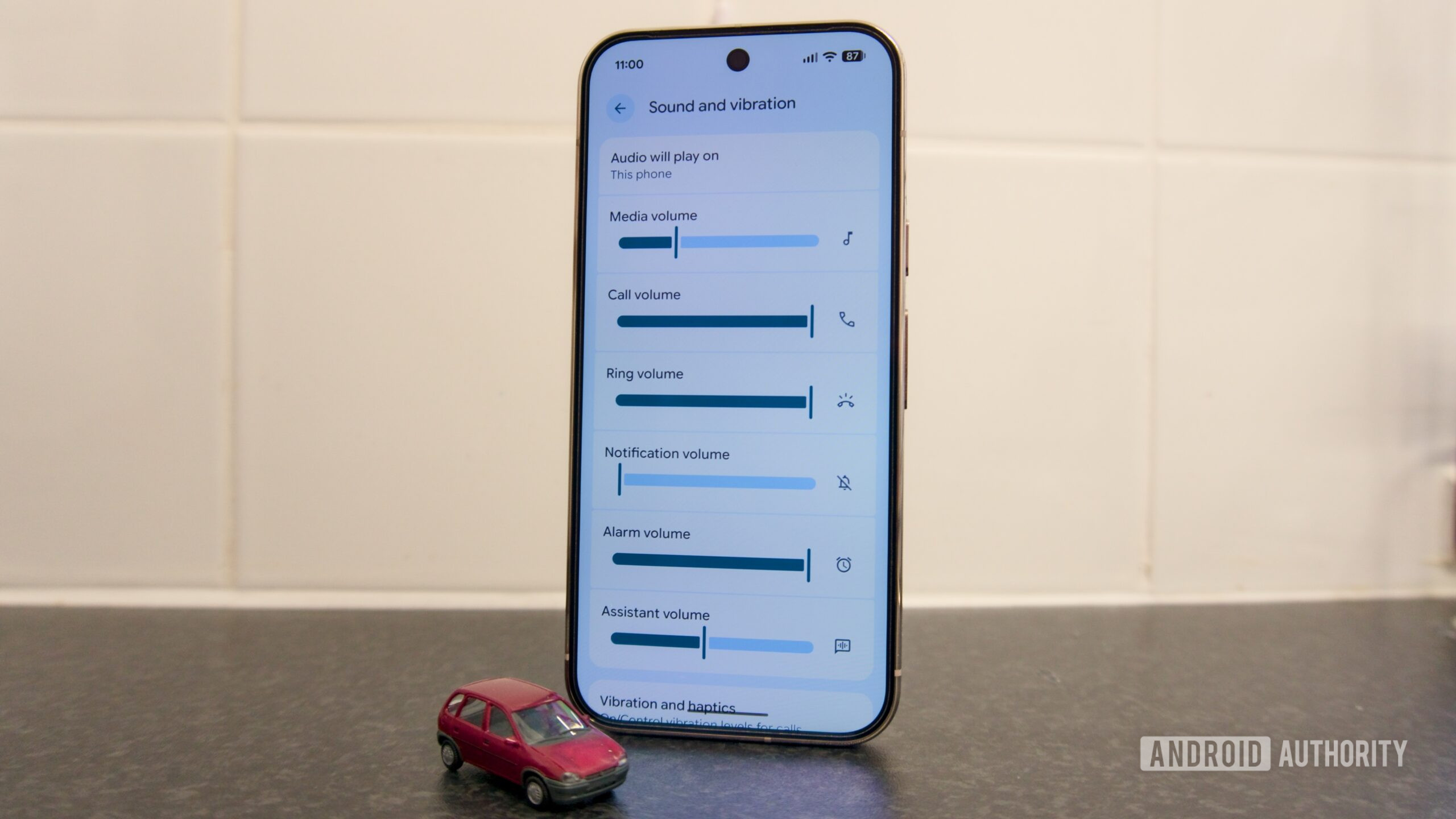
How the New Ringtone Settings and Sliders Work
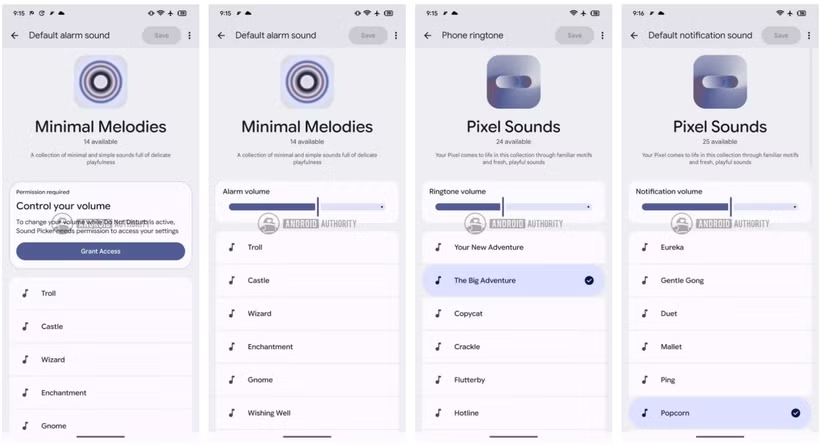
Today, picking a new ringtone on a Pixel means choosing the sound first and worrying about its volume elsewhere, an awkward split that has long annoyed users. In an unreleased build of the Sounds app included with Pixel 11 firmware, that friction disappears: volume sliders now appear right inside the selection screens for phone ringtones, notification sounds, and alarms. You can hear a sound and adjust its volume without backing out to a different settings page, which eliminates an extra step that exists in the current version of Android. In other words, Android volume management finally follows the obvious rule that control should live where the decision is made. This is not a flashy feature, but it is exactly the sort of quiet refinement that makes a phone feel smart instead of merely configurable.
Vibration Customization: The Silent Half of Pixel Audio
The audio overhaul is not just about sound; it arrives with hints that Pixel is getting serious about vibration customization too. New strings in the same unreleased build reference a “Vibrations” tab and describe a collection featuring “familiar patterns and new, personal vibrations.” Earlier work uncovered a vibration selector for Pixel ringtones and notification alerts that allowed users to choose sound and vibration patterns separately, but that feature never reached the public. Its reappearance in newer code strongly suggests the idea is alive. If Google follows through, your phone could gain a library of distinct haptic signatures so a buzz from your pocket conveys context even when the screen is off. That is the missing complement to better Pixel audio controls: a tactile language for your alerts instead of a single generic rumble.
Why This Matters for Everyday Android Volume Management
Granular sliders embedded in ringtone, alarm, and notification pickers might sound modest, but they reshape everyday Android volume management in a way that users will feel immediately. The update means fewer trips into deep settings menus, less guessing about how loud an alert will be in real life, and more confidence that each sound is tuned to its role. This matters because audio is one of the most intimate parts of a phone: it decides whether you wake up, whether you interrupt a meeting, whether you miss a message from someone important. When the interface forces all of that through awkward steps, it wastes attention. By relocating control to the moment you choose a tone, the Pixel stops treating sound as an afterthought and starts treating it as a first-class part of the experience.
Looking Ahead to Pixel 11 and Beyond
The catch is that all of this lives in an unreleased build tied to Pixel 11 firmware, not a shipping app update. The sliders were already working without any tinkering, but the usual caveat applies: APK teardowns highlight work in progress, and features discovered this way may never make it to a public release. The upcoming Pixel 11 launch on August 12 is the obvious moment for Google to flip the switch, and the design of these controls makes sense not only for new hardware but for older Pixel models as well. If the company follows through, this will be one of those small, powerful changes that quietly redefine what owning a Pixel feels like. If it does not, the disappointment will be sharp, because now we know how much better ringtone settings, vibration customization, and Pixel audio controls can be.





