
Gemini moves into the Chrome Android navigation bar
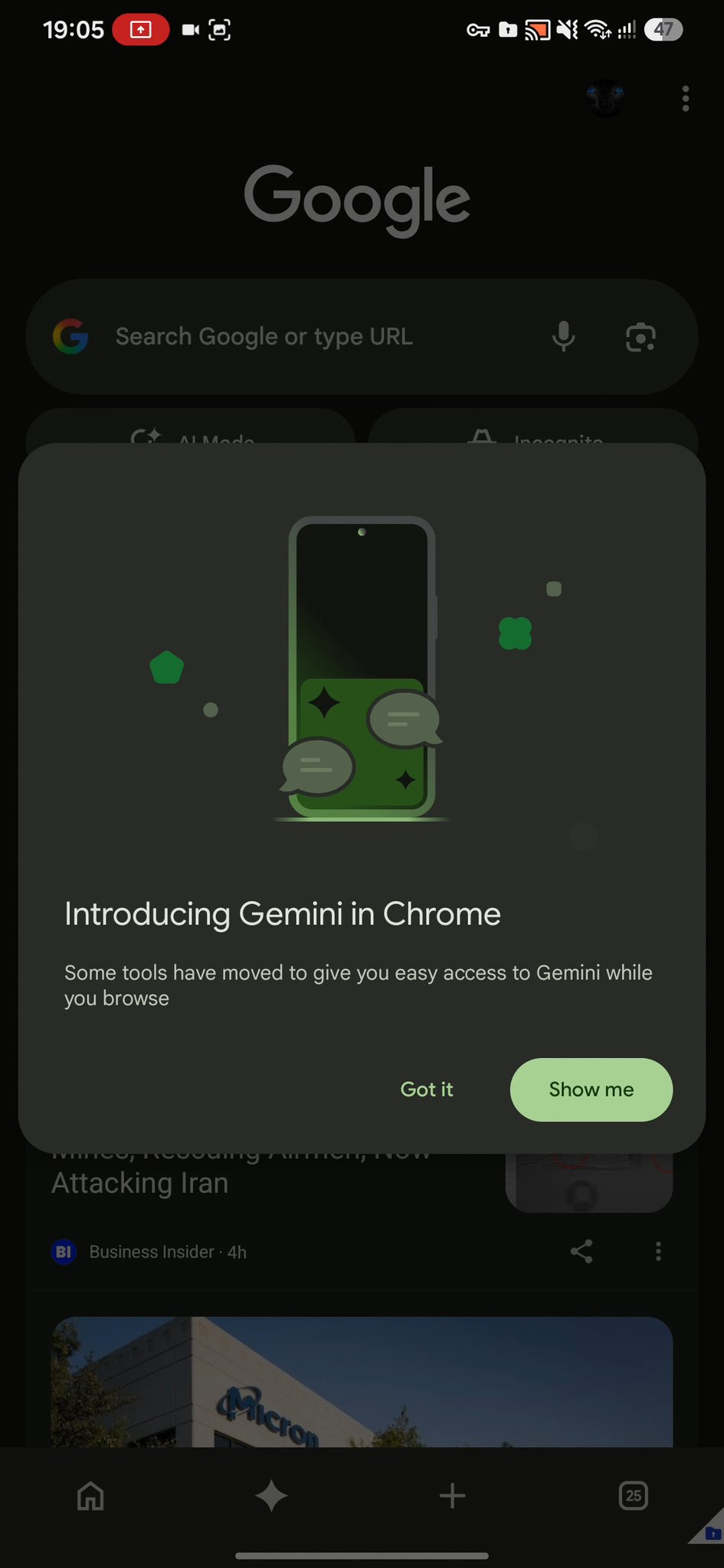
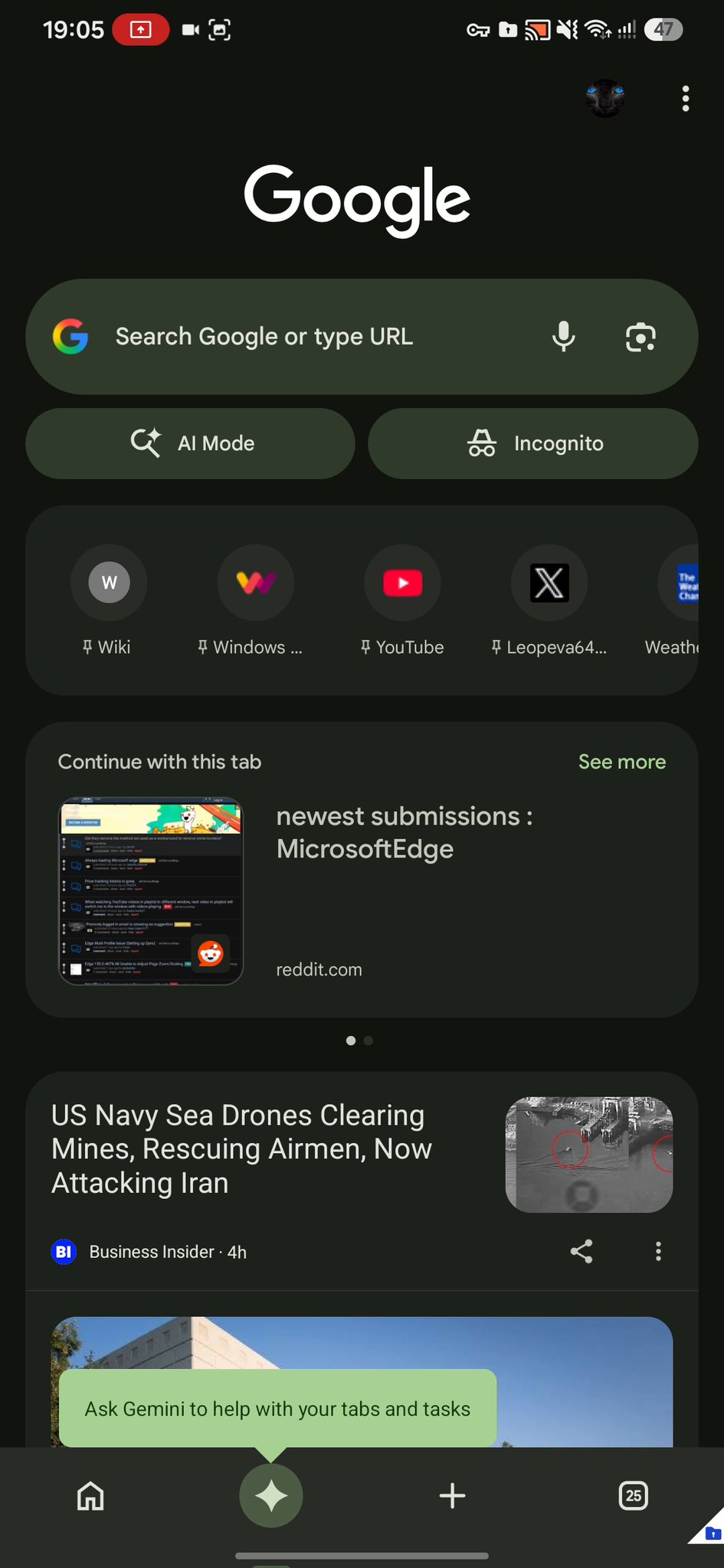
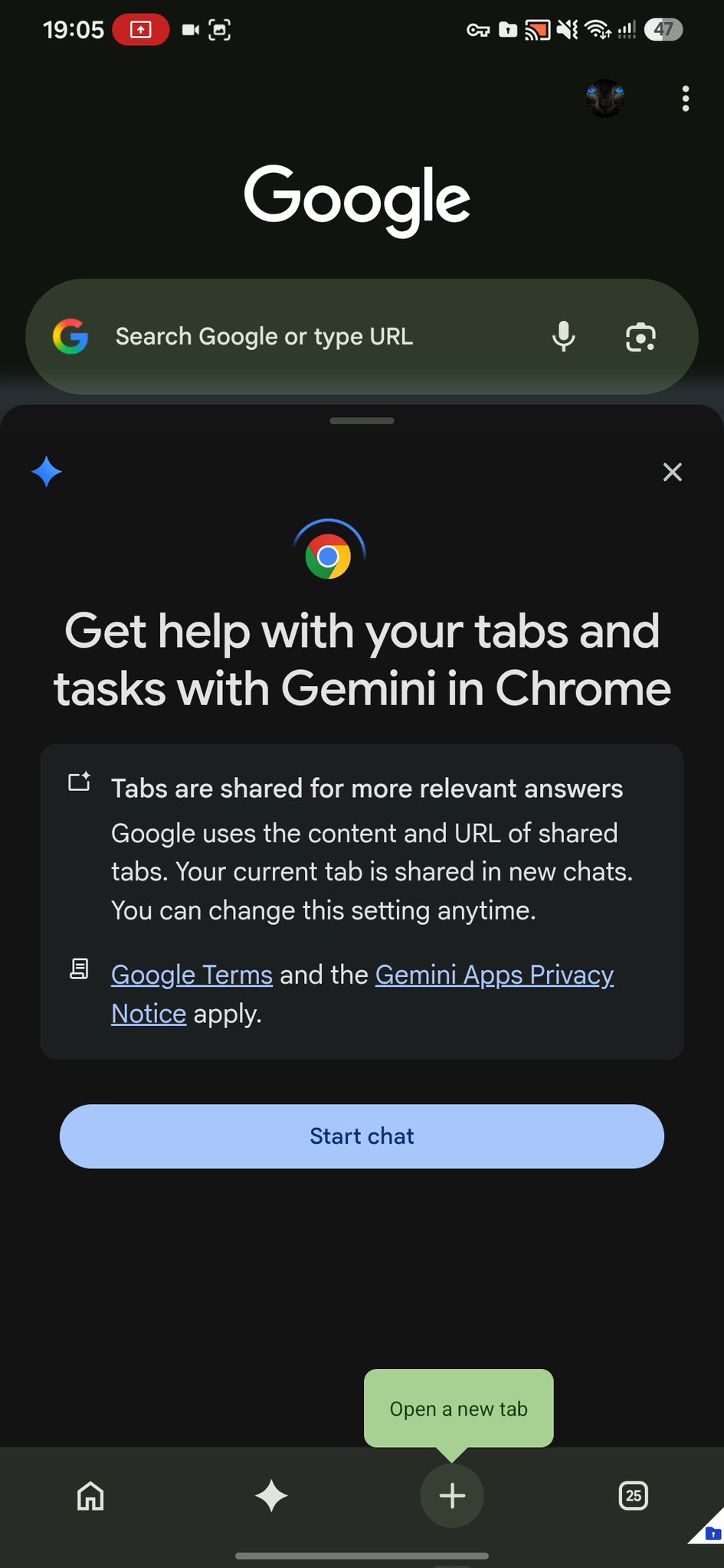
Chrome’s new Gemini shortcut on Android is a redesigned bottom navigation bar button that sits between Home and Tabs and opens an AI assistant that can see multiple open pages at once instead of being limited to a single active tab.
This Chrome Android navigation bar change is not a cosmetic tweak; it is a statement about how Google wants you to search. The latest version of Chrome on Android is rolling out a reworked bottom bar whose headline feature is a dedicated Gemini button, described as “a major part of the redesign,” with support for accessing multiple tabs at once. According to tipster Leopeva64, this Gemini shortcut is starting to appear for some users, even though the wider rollout is still unclear. In other words, Google is giving Gemini prime real estate where the omnibox used to reign alone, and that fundamentally shifts Chrome from a neutral browser into a Gemini-first search surface.
From single‑page helper to multi‑tab AI workspace
Until now, invoking Gemini on mobile Chrome felt like a bolt‑on: you launched it over a single tab, and the assistant could only respond based on that one page. The new Chrome Gemini update fixes that limitation by embedding Gemini more deeply and letting it pull from multiple open tabs for context, mirroring how the Gemini sidebar works on desktop Chrome.
This matters for how you work. Instead of juggling tabs and copying links into a separate Gemini app, you can treat Chrome on Android as a desktop‑like research environment. You might have a news article, a documentation page, and a product spec all open, then ask Gemini to compare them in one shot. That turns the browser into a kind of AI control room: tabs hold raw material, Gemini synthesizes. For heavy readers, students, or anyone juggling multiple sources, this multi‑tab context management is the first Chrome on Android feature that genuinely makes mobile feel closer to a laptop.
Google’s strategy: Gemini everywhere, whether you asked or not
The Gemini Chrome integration is not happening in isolation. Since introducing Gemini, Google has been expanding AI features “across the board” in its apps and experiences. Chrome on desktop already lets you invoke Gemini inside the browser, and this Android update extends that same philosophy to phones. The redesigned bar even folds in the recently added back button to the left of the address bar and a three‑dot menu on the right, framing Gemini as part of basic navigation rather than an optional extra.
There is a cost to this strategy, and users feel it. On desktop, Chrome now uses another 4GB of your computer for AI features that many people never touch. Those features are now marching into the mobile browser, too. Some users already argue that Google is “shoving Gemini down their throats” with every other update, and pinning a Gemini button into the Chrome Android navigation bar is unlikely to calm them. The bet is clear: if Gemini becomes the default way you search and read, the friction and extra resource use will fade into the background. But that is a gamble on user patience.
A productivity boost that can also push people away
From a productivity angle, the Gemini shortcut is smart. Instead of switching apps, unlocking your phone’s standalone Gemini client, or relying on a limited overlay, you can tap the Gemini icon between Home and Tabs and ask questions about what you are viewing. The new update means you can do this across several open pages, not just the one on screen, which directly improves complex research or shopping workflows. For power users, this is the most coherent version of Google’s AI vision in Chrome so far.
Yet the same move risks driving away people who see browsers as tools, not assistants. According to one report, many users are already recommending open‑source browsers that “don’t shove AI down your throat.” If Google keeps tying essential UI changes—like the Chrome Gemini update and navigation reshuffle—to heavier, always‑present AI features, it may discover that the shortcut people use most often is the one that uninstalls Chrome in favor of something quieter.
What this means for the future of search on Android
There is still uncertainty about timing. The Gemini shortcut has been in testing for around three months and was initially expected to arrive earlier for Android users, first in the US, with no firm confirmation that this limitation still applies. Even with Chrome v150 and the redesigned bottom navigation bar, not everyone sees the Gemini button yet. There is also no clear timeline for when similar multi‑tab abilities might reach Chrome on iOS, where Gemini currently stays locked to the active tab.
The direction, however, is obvious. Search on Android is shifting from “type and tap” to “ask and synthesize,” with Gemini wired into the Chrome Android navigation bar as the default doorway to that experience. If you like the idea of an AI that can read across your tabs and help distill them, this is a welcome evolution. If you prefer a lean browser and manual control, it is a warning sign that Google’s AI‑first future might not match your habits. The conclusion is unavoidable: the Chrome Gemini update turns your browser into an assistant, and you now have to decide whether that assistant belongs in your daily workflow.