
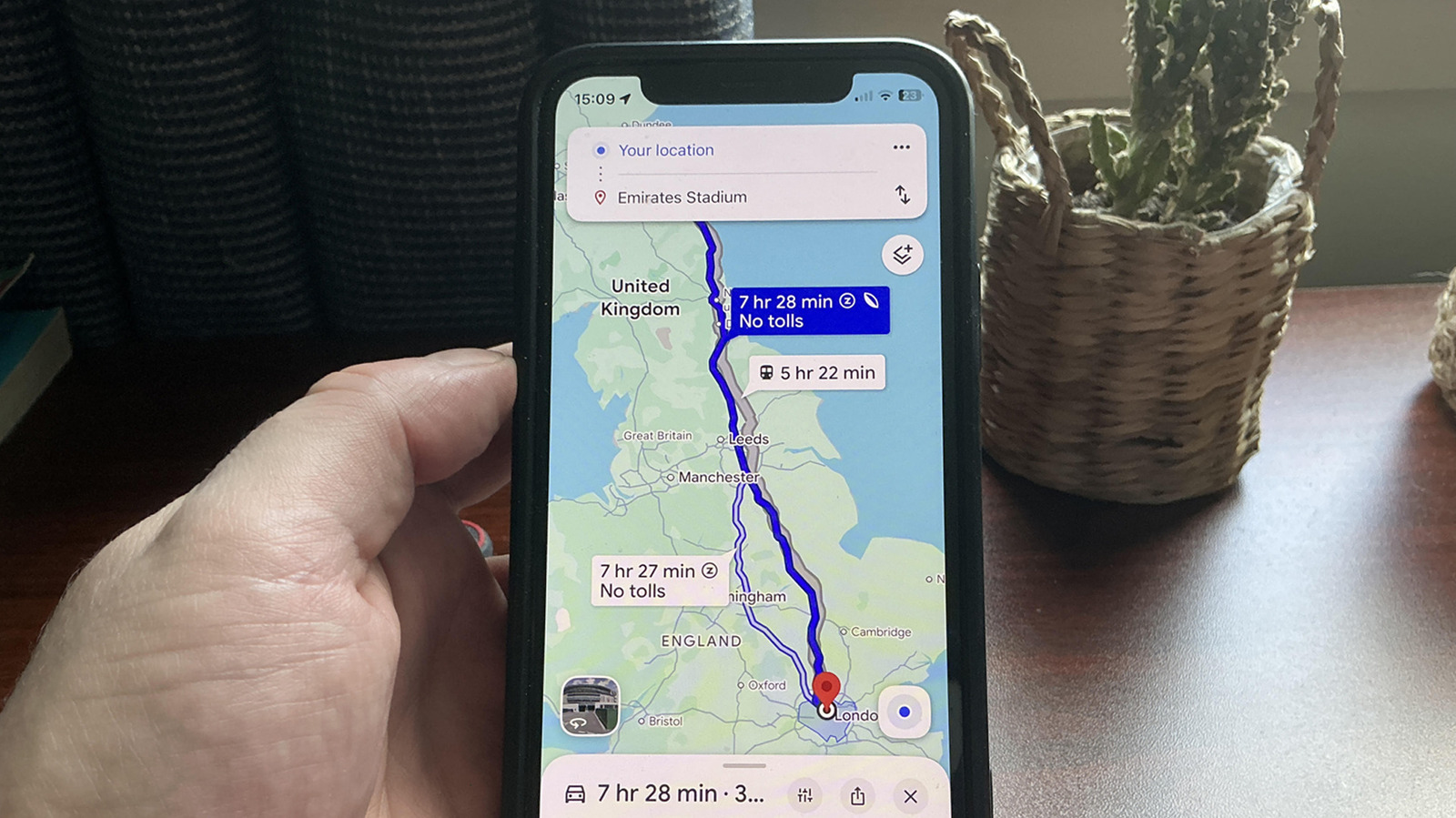

What the Google Maps Leaf Icon Really Signals
The Google Maps leaf icon is a visual cue that highlights the most fuel-efficient route among your options, using live data on traffic, road types, junctions, layouts and terrain to reduce petrol or battery use and cut emissions, even when that means adding a little driving time to your trip. The key takeaway: the green route is not about speed, it is about efficiency. If you care about emissions, click the route with the leaf when planning a trip, because fuel-efficient routes are turned on by default and cover both petrol vehicles and EVs. That default is a smart move in a world still dominated by fossil fuels, but it also explains why so many people are surprised when the route with the leaf is not the quickest option on the screen.
How Eco-Friendly Routes Are Calculated
Eco-friendly routes are the result of a layered algorithm, not a vague hunch. Google Maps pulls live traffic data to predict where congestion will build, then adds information about road types, junctions and road layouts to estimate how often you will be stopping and starting. It even accounts for topography, because hauling a car uphill burns noticeably more energy than cruising a flat highway. Under the hood, Google estimates fuel and energy efficiency using insights from the US Department of Energy’s National Renewable Energy Laboratory and data from the European Environment Agency, factoring in average consumption for vehicles in your region. A quotable claim from Google is that eco routing helped avoid roughly 1.2 million metric tons of CO2 between October 2021 and December 2022 by comparing fuel burned on routes drivers chose against the fastest alternatives. That figure deserves scrutiny, but it shows the scale of the feature.
Speed vs. Savings: When Eco Routes Make Sense
The awkward truth is that fuel-efficient navigation does not always align with arriving fastest. The trouble is that these routes do not always prioritise total travel time, so they can run longer than less efficient alternatives, and people are frustrated when the green route takes longer. Google tries to keep the gap small: the system only surfaces the greener route when its arrival time is roughly level with the fastest option, and if the savings are tiny or the time penalty steep, Maps shows the relative savings and leaves the choice to you. On motorway-heavy trips, the algorithm might decide that steady cruising beats a stop‑start shortcut; on other days, avoiding congested highways might be more efficient even if it adds a few minutes. For regular commutes, that trade-off can pay off because the fuel or energy savings can quietly offset minor delays over weeks of driving.
Tuning Google Maps Settings to Your Vehicle and Comfort
To get meaningful eco-friendly routes, you need to tell Maps what you drive. In Google Maps settings, go to Your vehicles and select petrol, diesel, hybrid or electric; setting your engine type improves the recommendations, even though the app ignores weight, engine size and tyre type. According to Google, this is the only vehicle detail the eco-routing model accepts, so a heavy SUV and a small city car on the same fuel type are treated similarly. Equally important is knowing when to toggle eco-routing off. When every second counts, switch the feature off under Settings, then Navigation, by turning off the slider for “Prefer fuel-efficient routes”. Drivers who are less confident on country roads should consider turning the feature off if they prefer consistent motorway driving, because eco routes sometimes skip motorways in favour of narrower roads with steadier speeds. Comfort is not part of the model, and your nerves matter more than a small fuel gain.
When to Disable Eco Routes Altogether
There are situations where the leaf icon should be treated as a suggestion, not a rule. In severe conditions or when travelling somewhere completely unfamiliar, disabling fuel-efficient routes is the sensible move, because the algorithm does not understand weather, visibility or how well you know the area. Eco routes can steer you away from busy motorways onto narrow lanes or stop‑sign‑broken stretches that feel awkward or unsafe when the road surface is poor or traffic is heavy. For long trips in electric vehicles, there is an extra catch: energy-efficient routes for EVs do not include charging stops, which can turn a clever route into a range problem if you forget to plan chargers yourself. Offering eco-friendly routes by default is commendable in a fossil‑fuel world, but the feature has quirks, and there are days when prioritising simplicity, safety and predictability over marginal fuel savings is the better decision.